
My website was hit by a DDoS from an abusive scraper a few weeks ago. I wrote a Python script to help identify the subnets involved and then an Ansible role to block them using ipset. Here’s a quick blog post to share this.
Identifying which subnets / IP ranges to block #
The attack involved over 2,000 IP addresses. Rather than blocking each IP
address individually, I used IP prefix to block ranges based on shared bits.
For example, the IP prefix 10.57.3.0/24 includes all IP address sharing the
first 24 bits - so from 10.57.3.0 to 10.57.3.255.
I found this IP who-is tool very useful for looking up IP addresses and identifying the IP range and the network operator. You can click the “ASN” to list all IP ranges owned by an operator.
My process was to go through the list of IP addresses and use the who-is tool to identify IP ranges. I also added all of the IP ranges of the network operator to the block list, even those not involved in the attack. I used the following script to identify which IP addresses had not yet been blocked.
import ipaddress

subnets_file_path = "../files/subnets.txt"
ips_file_path = "ips.txt"

with open(subnets_file_path) as f:
    subnet_addresses = [s.strip() for s in f.readlines() \
        if s.strip() and not s.startswith("#")]

subnets = [ipaddress.ip_network(s, strict=False) for s in subnet_addresses]
non_matching = []

with open(ips_file_path) as f:
    for line in f:
        ip = line.strip()
        if not ip:
            continue
        try:
            addr = ipaddress.ip_address(ip)
            if not any(addr in net for net in subnets):
                non_matching.append(ip)
        except ValueError:
            print(f"Skipping invalid IP: {ip}")

print(f"IPs outside all specified subnets: {len(non_matching)}")
for ip in non_matching:
    print(ip)
Ansible firewall role #
I updated my firewall role to block the subnets efficiently by using ipset. ipset is a tool that allows you to manage large lists of IP ranges for use with iptables, ufw, or other tools.
Optimisation using aggregate #
I started by using ISC’s aggregate tool to combine overlapping IP ranges,
reducing the number of entries. My list went from 243 to 76 entries at this
step.
My subnet.txt file contains comments beginning with #. aggregate will skip
over these lines, emitting a warning which is silenced by -q.
- name: Install firewall packages
  ansible.builtin.apt:
    pkg:
      - ipset
      - aggregate
    state: present

- name: Run aggregate to deduplicate subnets
  ansible.builtin.command: "aggregate -q"
  args:
    stdin: "{{ lookup('file', 'subnets.txt') }}"
  register: firewall_aggregated
  changed_when: false
Populating ipset #
I used an .ipset file to create and bulk-add IP ranges to an ipset. This
massively improves the performance.
- name: Write ipset restore file
  ansible.builtin.copy:
    content: |
      create blocked_subnets hash:net -exist
      flush blocked_subnets
      {% for subnet in firewall_aggregated.stdout_lines | select('match', '^[0-9]') %}
      add blocked_subnets {{ subnet }}
      {% endfor %}
    dest: /tmp/blocked_subnets.ipset
    owner: root
    group: root
    mode: "0644"
  register: firewall_write_ipset

- name: Load ipset from restore file
  ansible.builtin.command: ipset restore -f /tmp/blocked_subnets.ipset
  changed_when: firewall_write_ipset.changed
You can verify the task has created the ipset using sudo ipset list blocked_subnets.
I have since discovered a reusable role for creating ipsets on GitHub, which you might find useful here. It’s not much code though, so I prefer not to add a dependency for it.
If using UFW #
How you block an ipset depends on whether you are using UFW or iptables directly. Whilst I plan to move to iptables or nftables in the future, I’m currently using UFW.
If you have UFW installed, you need to add rules to the UFW configuration files:
- name: Add ipset block to UFW before.rules
  ansible.builtin.blockinfile:
    path: /etc/ufw/before.rules
    insertbefore: "^# allow all on loopback"
    block: |
      -A ufw-before-input -m set --match-set blocked_subnets src -j DROP
      -A ufw-before-forward -m set --match-set blocked_subnets src -j DROP
  notify: Reload ufw
Reload ufw is a handler in firewall/handlers/main.yml:
- name: Reload ufw
  community.general.ufw:
    state: reloaded
Note: the new rule won’t appear in ufw status.
If using iptables #
To configure iptables, you can use the ansible.builtin.iptables module.
- name: Block ipset in iptables (INPUT)
  ansible.builtin.iptables:
    chain: INPUT
    match: set
    match_set: blocked_subnets
    match_set_flags: src
    jump: DROP
    comment: "Block abusive subnets"
    state: present
You can check the result using sudo iptables -L -v -n.
By default, iptables will forget all rules when it restarts. I’ve not tried this
out, but I believe you can either use iptables-persistent or
iptables-restore on boot.
Conclusion #
And there we go!
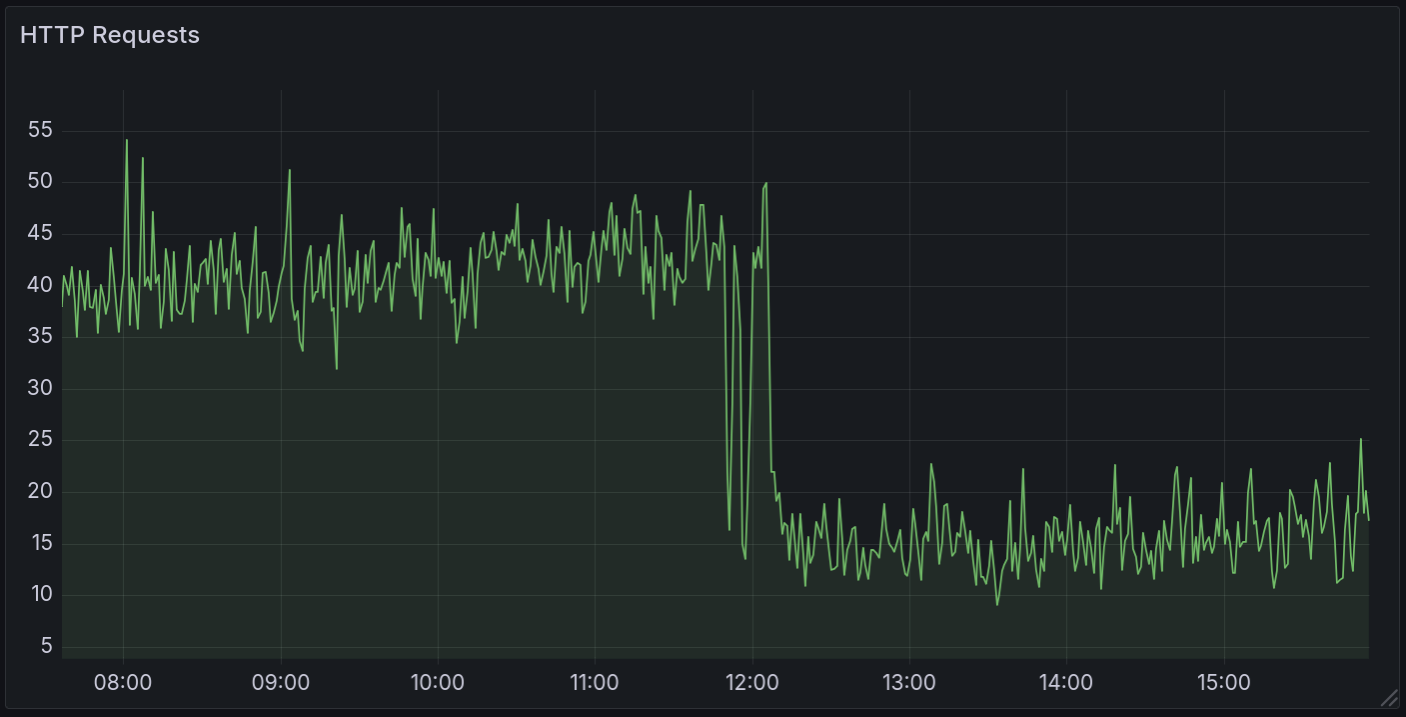
I used to adminstrate my Linux server with a collection of bash scripts and manual actions. Having Ansible around has made it much easier to administrate and version control my server’s configuration. I’ll likely be writing a blog post on my use of Ansible in the future, and perhaps one on small-web hosting infrastructure in general.
See also #
The ‘Ansible - IP Sets and DShield Block List’ article is a good read. I will probably reuse parts of it when I get around to switching to IPTables. However, it is geared more around existing block lists so I don’t think I’d be able to use their associated role.
Comments